Guide
How Breath Switch works
Close one side
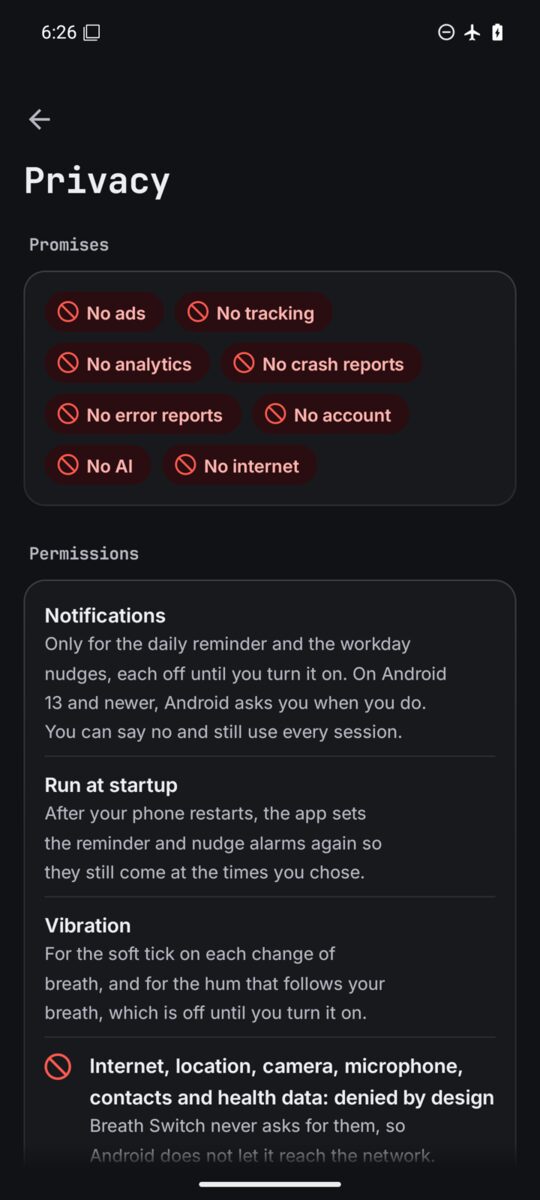
The first time, three short steps show you how. Sit up and lift your right hand (any hand is fine if that one is busy). Press one side of your nose shut with your thumb, softly, just enough to close it. Then breathe slowly through the open side, never forcing it.
The picture is like a mirror: it faces you, so its left is your left and its right is your right. Teal is always left and amber is always right, in every look. To see the steps again, open More (the three dots at the top) and pick How to close one side.
Home
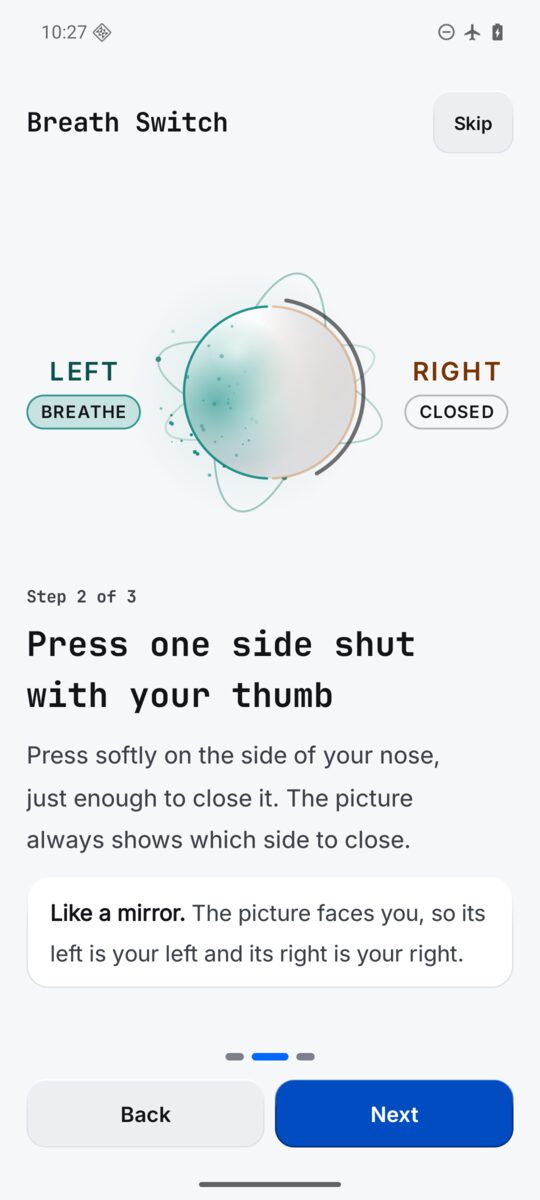
Home asks how you want to feel. Pick a length, 2, 5 or 10 minutes, then tap a tile and the session starts.
- Calm
- Close right, breathe left.
- Focus
- Close left, breathe right.
- Balance
- Switch sides each breath.
- Sleep
- Close right, breathe left as it dims.
Above the tiles you see your minutes today and the days in a row.
Four sections in the bar
The bar at the foot of the screen has Home, Sessions, Science and Settings. Tap one to go there, or tap the one you are on to go back to its top. The three dots at the top right open More: How to close one side and Add the widget.
A session
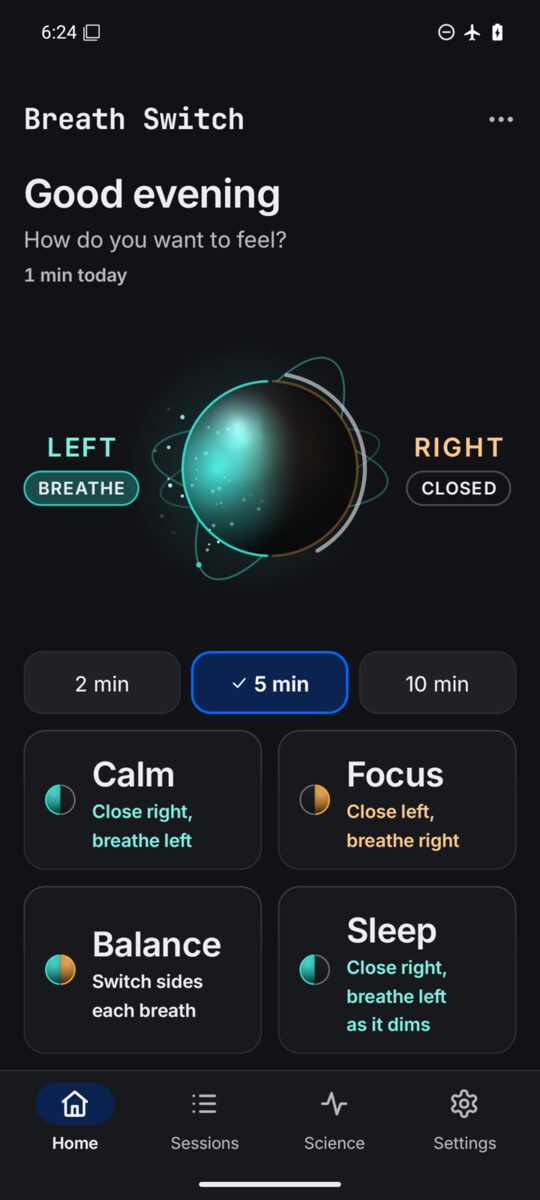
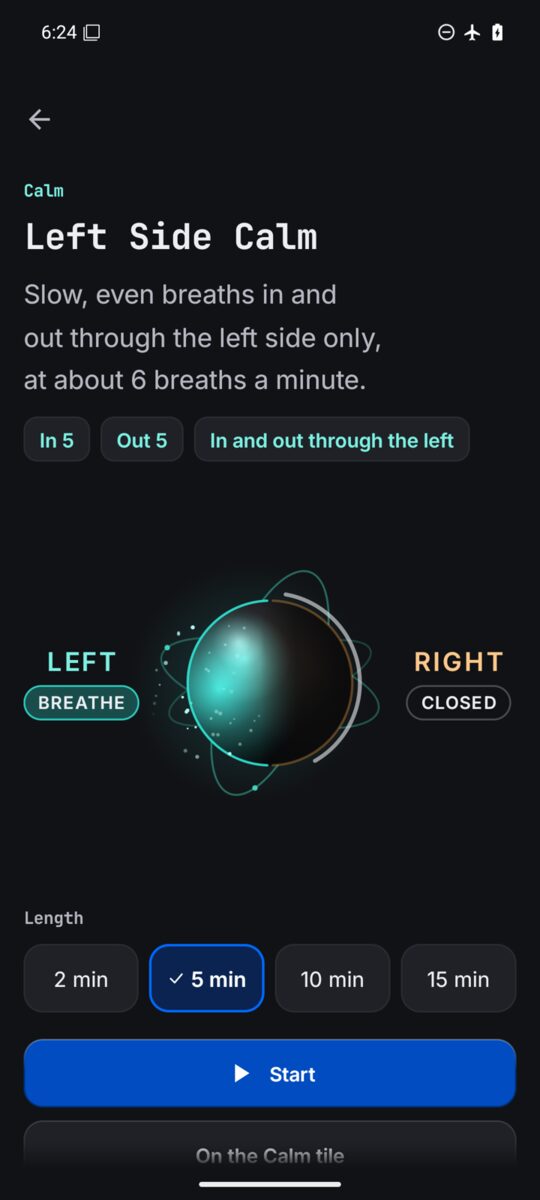
The planet of light shows what to do. The open half lights up and air spirals into it as you breathe in and out of it as you breathe out; the closed half goes dark. Beside it, LEFT and RIGHT each carry a chip: BREATHE, HOLD, OPEN or CLOSED. The words always say the action, like Close the right. Breathe in through the left., and the count ring shows the seconds.
- Pause and play
- The big round key in the middle.
- Back a breath
- The key on the left.
- Finish now
- The tick on the right.
- The chips
- Under the session's name: Music, Voice, Vibrate and Bubble, each a tap away, even mid session. Bubble swaps the planet for a simple bubble that grows and shrinks with your breath.
The screen stays on while a session runs. At the end you let your hand rest and breathe through both sides.
Sessions
Eight guided sessions, grouped by mood, from 2 to 15 minutes. At the written pace each one runs at 5 to 6 breaths a minute, the slow rate used in breathing research. Pauses are short, used in one session only, and never held after the breath out.
- Calm
- Left Side Calm and Moon Breath.
- Focus
- Right Side Wake Up, Sun Breath and Focus Reset.
- Balance
- Alternate Nostril and Alternate With Pause.
- Sleep
- Sleep Wind Down, with a long breath out.
Tap a session to open its page: the pattern, the counts, a length from 2 to 15 minutes, Start, the steps, a Go gently note, what studies found, and the references. Use on the Calm tile (or Focus, Balance, Sleep) puts it on its Home tile.
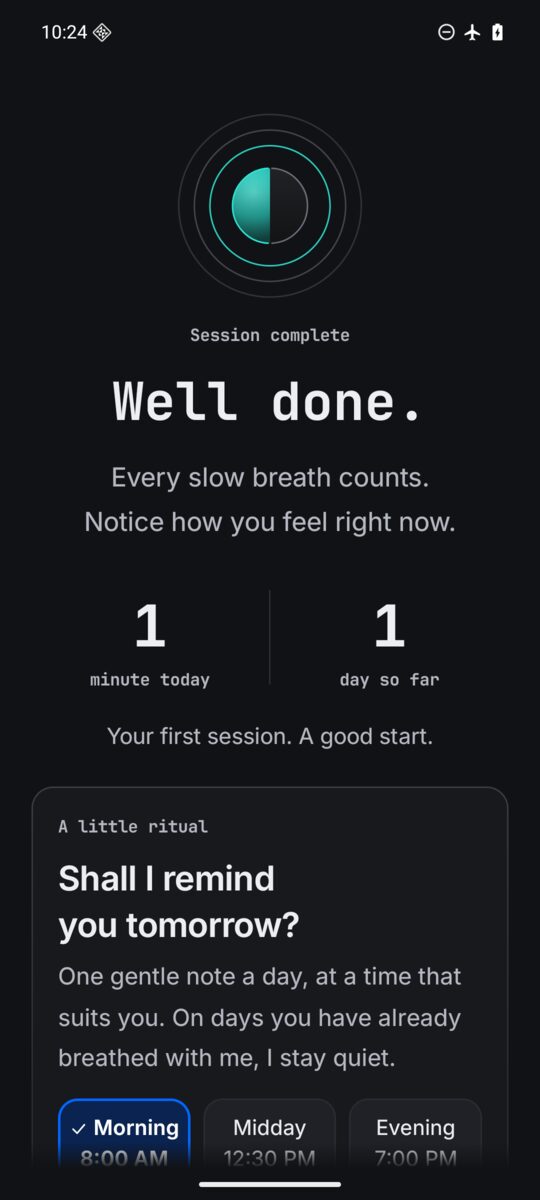
Well done
At the end you see your minutes today and the days in a row. Back home or Breathe again. On a phone, Breath Switch may ask once: Shall I remind you tomorrow? Pick a time and tap Yes, remind me, or Not now. After two Not now it never asks again.
Science
The science in seven short pages, each with a chart and the paper behind it, among them the nasal cycle, six breaths a minute, blood pressure, one session, left and right, and the honest limits. Turn them with Previous and Next, or swipe. Most nostril breathing studies are small, and results vary from person to person.
The widget
Start Calm or Focus from your home screen with one tap; widen it for Balance and Sleep. It starts the Home tile's session at the Home length. Add it from Settings, Home screen, Add the widget, or from More.
Reminders
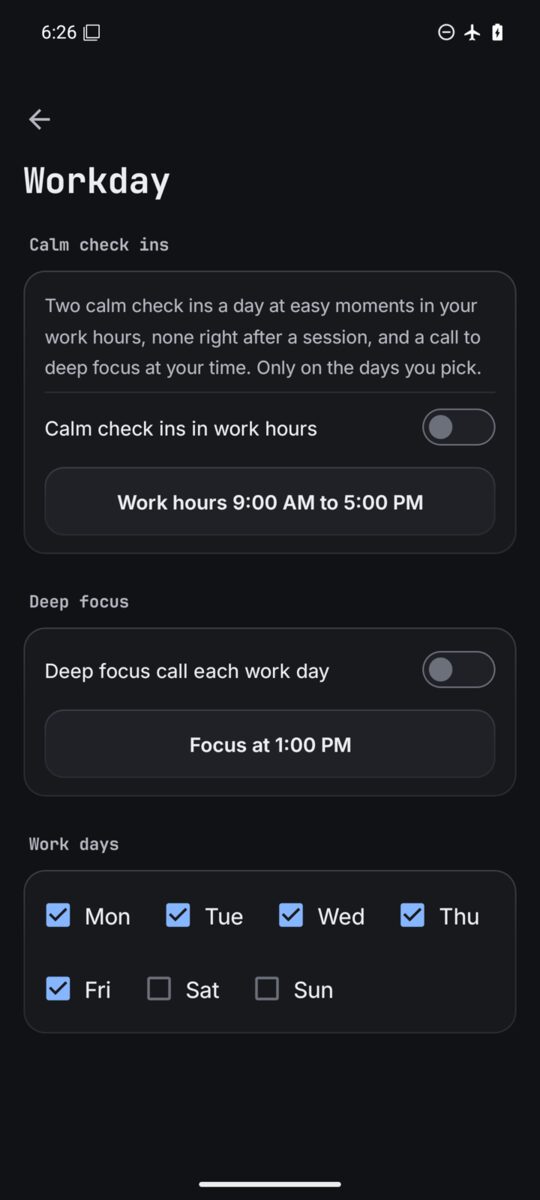
Every reminder is off until you turn it on. The daily reminder is one gentle note a day at your time, and none on days you have already breathed with Breath Switch. Workday adds two calm check ins at easy moments in your work hours, none right after a session, and a call to deep focus at your time, only on the days you pick. On Android 13 and newer, Android asks for notifications when you turn one on.
Settings
Settings is the last item in the bar: cards of rows, each saying what is set now. A row opens its own small page; Back takes you to the hub.
- Look
- Follow the phone (Light by day, Dark at night), Light, Dark, or Black, true black for OLED. And Just a bubble to follow, no planet.
- Sound, voice and touch
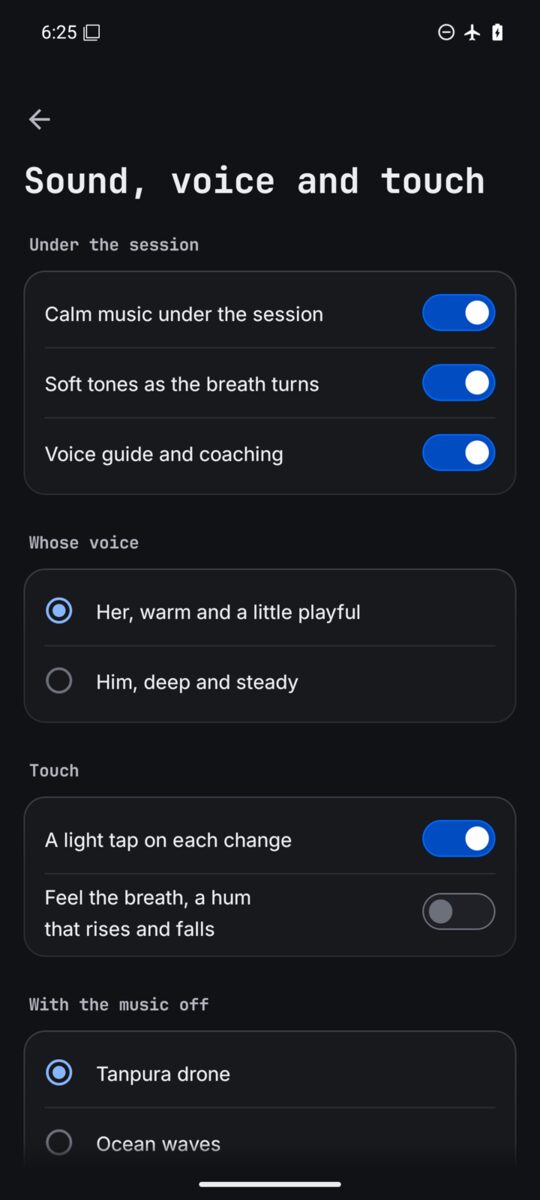
- Calm music under the session, soft tones as the breath turns, and the voice guide; her voice (warm and a little playful) or his (deep and steady); a light tap on each change and a hum that rises and falls with your breath; and with the music off, a Tanpura drone, Ocean waves, Night crickets or Silence.
- Breath pace
- A little quicker, As written, Slower or Slowest.
- Daily reminder and Workday
- Each off until you turn it on, with its times and days.
- Home screen
- Add the widget.
- Privacy
- The promises as red ban chips, the three permissions and why, where your practice is kept, and the privacy policy in full.
- Help and feedback
- This guide, the report page and the privacy policy.
- Support the developer
- If Breath Switch helps you, you can support it: Buy me a coffee opens buymeacoffee.com/zanoshky.
- About
- The version, and the credits for the sounds, the music, the voice and the type. Your minutes, streak and settings stay on this phone.
On Android TV and Google TV
Breath Switch runs on Android TV and Google TV too: pick a session with the remote, pause with OK, end with Back, and scan links with your phone.
- The side rail
- Home, Sessions, Science and Settings sit in a rail on the left instead of the bar.
- Calm in focus
- Home opens on the tile of your last mood, Calm at first, so OK starts it. A blue ring shows where you are.
- A session on the remote
- OK pauses and plays, Back ends the session. The remote's play and pause keys work too.
- Open on your phone
- A TV has no browser, so links (this guide, the report page, the privacy policy) open a QR code in a sheet from the right. Point your phone's camera at it to open the page there.
- Not on a TV
- Vibration, reminders, Workday, the widget and More. Dark is where a TV starts; Follow the phone reads Follow the TV.
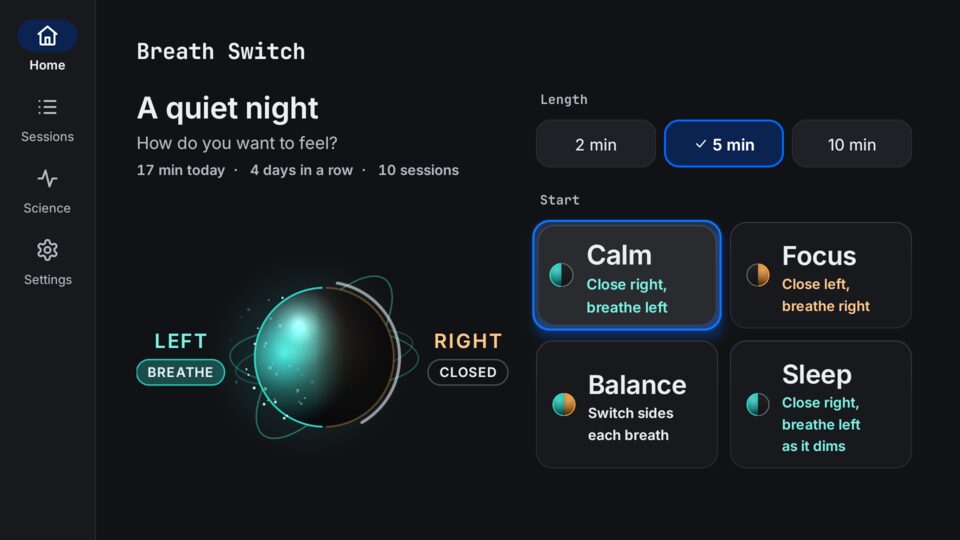
Home on a TVCalm is in focus. 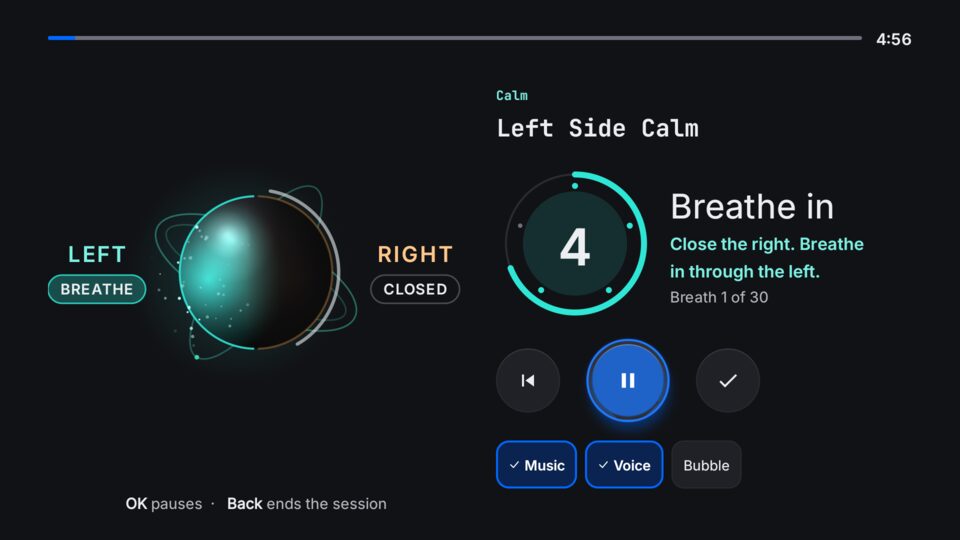
A sessionOK pauses, Back ends. 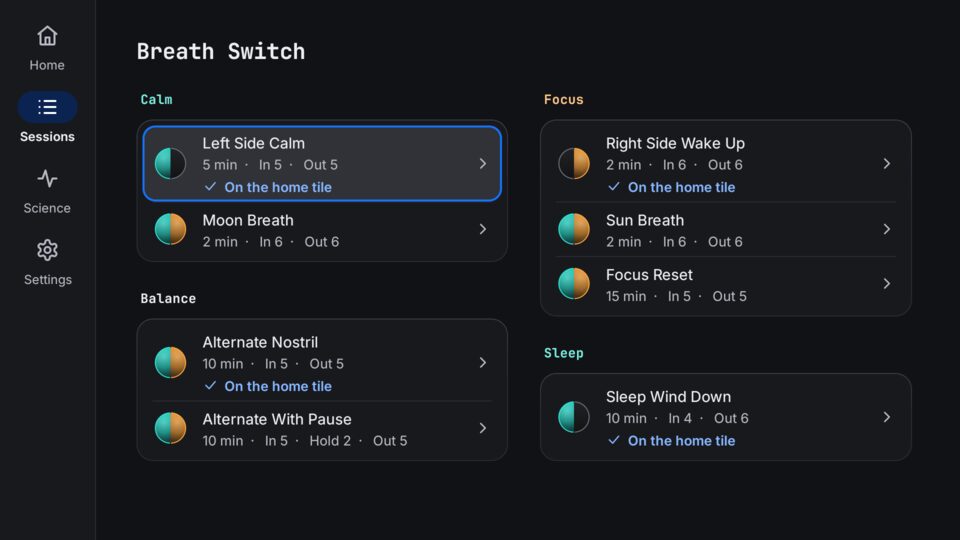
SessionsPick one with the remote. 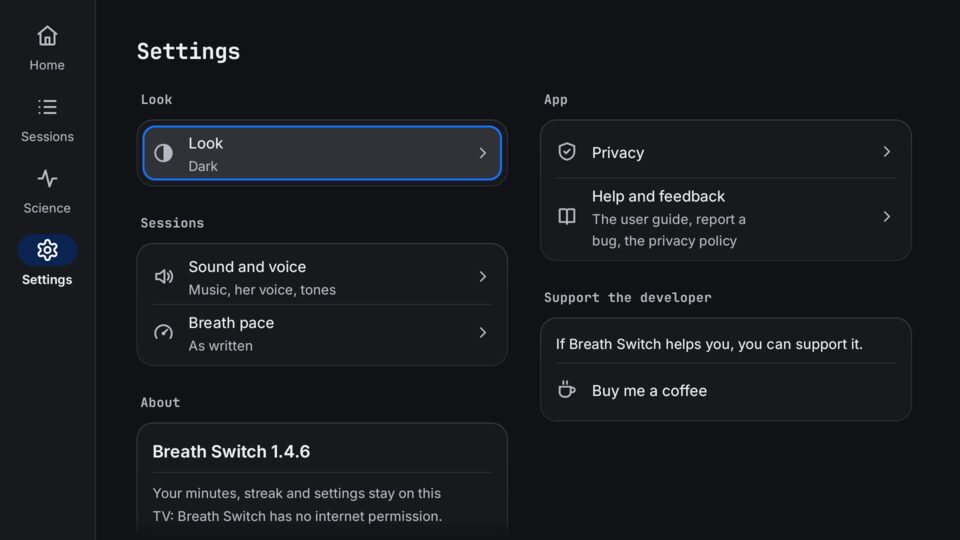
SettingsNo reminders or touch on a TV.
Privacy
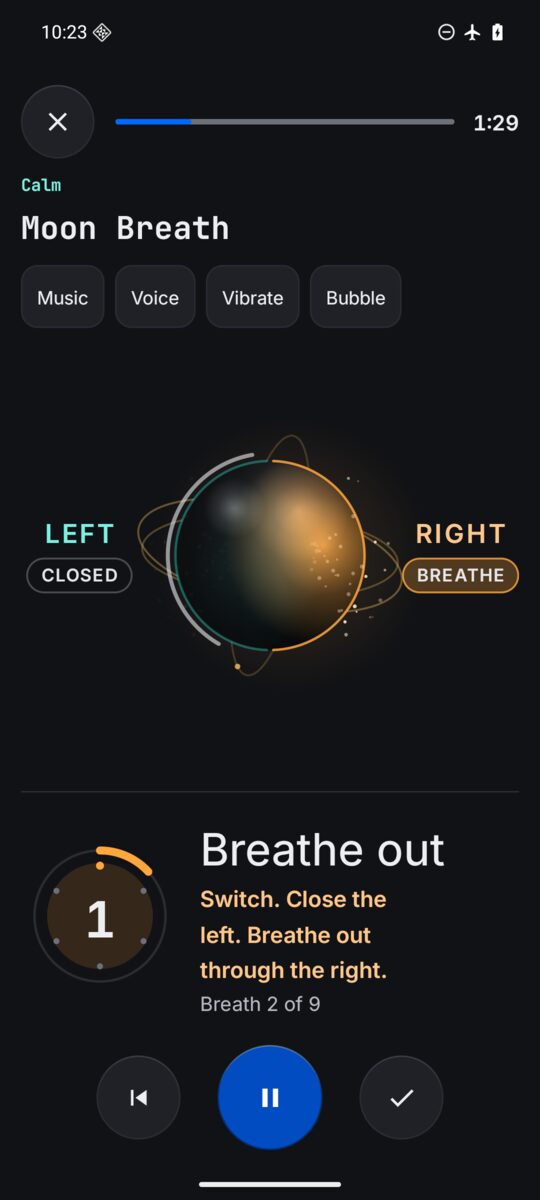
No ads, no tracking, no analytics, no crash reports, no account, no AI and no internet. Breath Switch does not even ask for internet access, so Android does not let it reach the network. It asks for three things: notifications, only for the reminders you turn on; running at startup, to set your reminders again after a restart; and vibration, for the tap and the hum. Your choices, today's minutes and your streak stay in the app's own storage on your phone. See the privacy policy.
Accessibility
TalkBack says every part of the breath with its action, like Close the right. Breathe in through the left., and the voice guide stays quiet while TalkBack runs. Every choice is a real switch, check box or radio button. Touch targets are at least 48 dp, words keep a 7 to 1 contrast, text grows with your phone's font size, and with Android's animations off the moving parts keep still.
Breathe safely
Breathe gently and never force air through a blocked nose. If you feel dizzy or light headed, stop and breathe normally. Skip the right side sessions and the pauses if you have high blood pressure or a heart condition, or if you are pregnant. Never practise while driving or in water. Breath Switch is a relaxation and wellbeing app, not a medical device; it does not diagnose, treat, cure, or prevent any medical condition.